
Bling - Video Chat
JHong Technology LimitedSocial
3.168.00 Reviews
- Version
- 2.1.3
- Installs
- 10.00M
- Age Rating
- Mature 17+
Screenshots
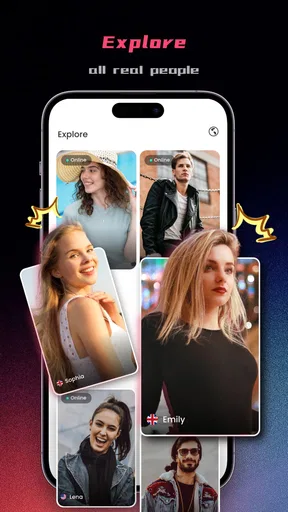
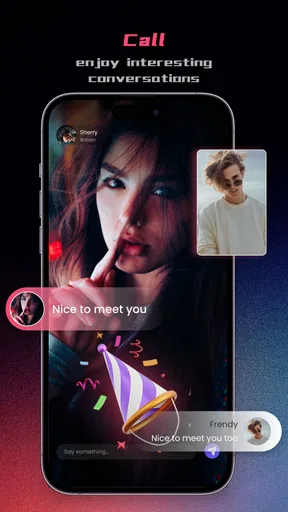
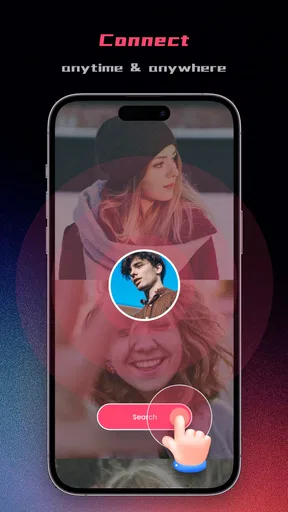
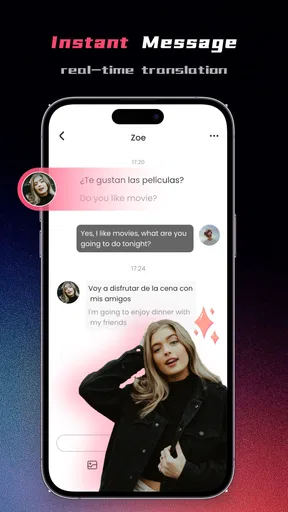
Our Review of Bling - Video Chat
 Analysis by Appyee
I approached Bling - Video Chat as a social app for meeting people beyond my usual circle, not as a replacement for a private messenger. Its central appeal is straightforward: it puts global social discovery and video conversation in the same space. That can make it feel more immediate than text-first communities, but it also means trust decisions matter much earlier. Before starting a conversation, I would want to know who I am comfortable interacting with, what I am willing to show on camera, and how quickly I can leave an uncomfortable exchange.
The app is free to install, with optional in-app purchases ranging from under a dollar to nearly two hundred dollars per item. That combination is common in social platforms, but it changes how I would use it: I would explore the free experience first, understand what is genuinely useful without spending, and only then decide whether any purchase adds enough value. Bling is rated for mature users, which is an important signal that it is not something I would hand to a younger family member simply because the download itself costs nothing.
What using Bling feels like in everyday social discovery
In my experience, the strongest reason to try Bling is the possibility of a more direct connection with people from different places. A video conversation can reveal tone, energy, and personality faster than a long text exchange. If I were practicing casual conversation with someone abroad, looking for a spontaneous social break after work, or trying to meet people outside my local community, that immediacy would be the main attraction.
At the same time, video changes the social pressure. Text gives me time to think, ignore a message, or end a conversation quietly. A live call asks for a decision in the moment. I found that the app makes more sense for users who enjoy unplanned interaction and can set boundaries quickly. Someone who prefers carefully moderated forums, slow introductions, or strictly topic-based communities may feel more comfortable with a conventional social network instead.
JHong Technology Limited is the developer behind the app, which has reached more than ten million installs and carries an average rating of about three stars from roughly eleven thousand ratings. I see that reach as evidence that the concept has found a substantial audience, but not as proof that every user will have a smooth experience. The rating suggests I should approach Bling with curiosity rather than automatic confidence, especially because social apps can feel very different depending on the people available at a particular time.
The current release is version 2.1.3 and it supports devices running Android 7.0 or later. That makes it accessible to people using older Android hardware, although a video-focused experience will still depend on the phone’s camera, microphone, connection quality, and battery condition. I would test it on a stable connection before judging the app too harshly; a poor network can make a live conversation seem like an app failure when the real problem is the environment.
Why the mature rating should influence your first session
I would treat the mature rating as part of the setup decision, not as a small label to ignore. A global video-chat environment can expose users to conversations, behavior, or personal requests that are not suitable for children. Even adults should avoid assuming that a friendly opening message guarantees a respectful interaction later.
My practical approach would be to begin without revealing identifying details. I would avoid showing documents, work screens, home addresses, mail, school information, or anything visible through the camera that I would not want a stranger to see. A neutral background is useful, and headphones can reduce the chance that nearby conversations become part of an unexpected interaction.
This is also where Bling differs from a normal text social feed. On a typical feed, I can review a profile or message before responding. In a video setting, the camera itself can disclose more than I intended. I would therefore decide in advance whether I want the camera on, what topics are off limits, and how long I am willing to stay in a conversation. That preparation sounds simple, but it gives me more control when the interaction becomes awkward.
Trust begins with visible choices, not the app’s promise
When I review a social app, I do not treat a short store summary as a complete trust assessment. Bling’s summary presents a global connection idea, but my confidence would come from what I can actually see while using it: whether account controls are understandable, whether leaving a conversation is obvious, and whether privacy-related choices are presented clearly instead of being buried in a busy interface.
I would pay close attention during sign-up and the first interaction. Does the app explain why a requested permission is needed before asking for it? Can I decline a permission and still explore the service? Are profile details editable? Can I control what I display publicly? These are not abstract questions. They determine whether I am making an informed choice or simply moving through prompts as quickly as possible.
I would also read the wording around purchases before tapping any payment option. Because the app is free but includes paid items, I would want the cost and purpose of each purchase to be clear at the moment it appears. My advice is to avoid spending during the excitement of a new conversation. If an interaction is pressuring you to buy something, that is a reason to pause, not a reason to pay faster.
Account controls I would check before becoming active
I would spend a few minutes looking for the controls that matter most in a live social app: editing the profile, changing visibility, managing notifications, ending a conversation, and reporting or blocking another user. I would not assume that a control is available merely because it is standard elsewhere. I would verify what is visible in the actual interface before sharing personal information.
A useful workflow is to create a deliberately minimal profile first. I would use a general introduction rather than a workplace, school, or neighborhood reference. After that, I would test how easy it is to change the profile and whether old information remains visible in places I did not expect. This small experiment tells me more about user agency than a polished onboarding screen does.
I would also check whether notifications reveal conversation details on the lock screen. If the phone is shared with family, used at work, or left on a desk, notification previews can expose more than the user intended. Adjusting those settings early is one of the most practical privacy steps I can take, especially when conversations may involve people I have never met.
Another useful habit is to end a session deliberately instead of simply closing the app. I would look for a clear way to stop the current interaction and then review whether the app continues sending alerts. If notifications become distracting, I would reduce them at the device level or inside the app. This helps keep a social tool from quietly taking over attention during work, study, or sleep.
A realistic evening with the app
Imagine I have finished work and want a short conversation with someone outside my country. I would open Bling, review the available choices without rushing, and start with a profile that shares no sensitive background details. I would keep the first conversation brief, avoid moving immediately to another service, and notice whether the other person respects a simple boundary such as changing the subject or ending the call.
If the exchange is pleasant, I would still avoid treating one good conversation as proof of trust. I might return another day, use the same limited profile, and see whether the interaction remains comfortable over time. If the person asks for money, private images, login information, or a move to a less controlled channel, I would end the conversation. The app’s social purpose does not remove the usual risks of meeting strangers online.
If the call becomes uncomfortable, the most important test is whether I can leave without negotiation. I would use the available exit, block, or reporting controls if appropriate, then review my profile and notification settings. That sequence—leave, limit contact, document what happened if needed, and adjust visibility—is more useful than trying to win an argument with a stranger.
How Bling compares with familiar alternatives
Compared with a text-heavy social network, Bling is more immediate and less forgiving of hesitation. That is a strength when I want natural conversation and a weakness when I need time to evaluate someone. Text platforms are usually better for following public discussions, building an interest-based identity, or communicating asynchronously. Bling is more appealing when the live human element is the point.
Compared with a conventional messaging app, it is aimed more at discovery than at maintaining conversations with people I already know. A private messenger is the better choice for family, close friends, work contacts, and sensitive planning because I already understand the relationship. I would not use Bling as my main place for confidential communication simply because video is available.
Compared with a dating-focused service, Bling’s broad global-social angle may suit people who want conversation without making romance the only purpose. However, anyone seeking strong identity verification, detailed compatibility tools, or a carefully defined relationship context may prefer a specialized service. The right choice depends on whether spontaneity matters more than structure.
The paid model is another point of comparison. Some social services keep their core interaction free and monetize through advertising, while others place more attention on digital purchases. With Bling, I would treat the free access as an evaluation period and keep spending separate from emotional momentum. A purchase should solve a clearly understood need, not become a condition for keeping someone’s attention.
Data-sensitive moments deserve extra attention
The camera and microphone are the obvious sensitive parts of a video-chat experience, but they are not the only moments I would consider carefully. Profile text, visible surroundings, notification previews, contact details, and conversations can all reveal personal information. I would review each of these surfaces before becoming active, especially if I use the same username or profile image on other services.
I would also avoid assuming that a conversation is private just because it feels personal. A stranger may record, repeat, or reinterpret what happens. I would keep the first exchanges general and avoid sharing anything that could be used to identify, pressure, or impersonate me. This is not a criticism unique to Bling; it is a necessary rule for any service built around meeting unfamiliar people through live video.
My trust would increase if the app made privacy choices easy to find and easy to change. If I had to search through confusing menus to limit visibility or stop unwanted contact, I would consider that a meaningful weakness. Good user control is not only about having settings somewhere; it is about being able to understand and use them while the decision still matters.
Who I think will enjoy it—and who should skip it
I would recommend trying Bling to an adult who enjoys spontaneous conversation, is comfortable meeting people from different backgrounds, and can maintain firm boundaries online. It may also suit someone who finds text introductions too formal and wants to judge conversational chemistry more naturally. The global focus gives the experience a wider social range than a local-only network.
I would suggest skipping it if you dislike being on camera, feel pressured by live interaction, or want a platform organized around specific hobbies and long-form discussion. It is also a poor fit for anyone looking for a controlled environment for children. Parents should not treat the free price or large install base as a substitute for age-appropriate supervision and safer communication choices.
I would be cautious if you are easily tempted by digital purchases or tend to share personal information when a conversation feels exciting. The app can be enjoyable without turning every interaction into a commitment, but that requires deliberate use. Starting slowly is not missing the point; it is how I would preserve the fun while reducing avoidable risk.
My verdict after weighing connection against control
Bling - Video Chat has a clear social idea and a large enough audience to make global discovery its most convincing feature. I like the possibility of moving beyond repetitive local feeds and having a more human conversation. I also appreciate that the app is available at no upfront cost, making it possible to explore before deciding whether the experience belongs in my regular routine.
My reservation is that live social discovery asks users to make trust decisions quickly. I would not judge the app only by how entertaining the first conversation feels. I would judge it by how clearly I can manage my profile, permissions, notifications, spending, and unwanted contact. The best way to use Bling is with curiosity matched by deliberate boundaries.
For me, the recommendation is cautious rather than unconditional. Adults who want spontaneous international video conversations should give it a measured trial, beginning with minimal personal information and no unnecessary purchases. People who prioritize privacy-first communication, structured communities, or established contacts will probably be better served by a private messenger or a more specialized social platform.
Ultimately, Bling is worth considering when the goal is meeting unfamiliar people through live conversation, but I would keep the app in that lane. I would use it for light social discovery, not sensitive discussions, financial decisions, or instant trust. If its visible controls feel clear during my first sessions, it can be a lively addition to my social apps. If those controls feel difficult to find or understand, I would leave it behind without hesitation.
Verdict
Strengths of Bling - Video Chat
- Quick video matching makes it easy to meet new people.
- Simple interface is easy to navigate for first-time users.
- Short video interactions can feel more personal than text chats.
- Useful discovery features help you find active users quickly.
- Available on mobile, making conversations convenient on the go.
Limitations of Bling - Video Chat
- User quality and conversation topics can vary significantly.
- Video chat may consume considerable mobile data and battery.
- Some features may require in-app purchases or subscriptions.
- Privacy can be a concern when interacting with unknown users.
- Busy periods may lead to repetitive matches or longer wait times.
Similar Picks in This Category
View All
Meta Platforms, Inc.4.6

Instagram4.0

Likee-Live, Chat & Party Games
Likeme Pte. Ltd.4.4

Facebook Lite
Meta Platforms, Inc.4.5

TikTok - Videos, Shop & LIVE
TikTok Pte. Ltd.4.0

Moj: Free Short Drama & Reels
ShareChat4.1
Frequently Asked Questions
What is Bling - Video Chat used for?
Bling - Video Chat is designed for meeting and communicating with other users through video-based social interactions. Depending on the available features, you may be able to discover profiles, start video conversations, exchange messages, and build new connections. The experience is generally focused on casual socializing rather than replacing a traditional messaging or dating service, so users should review the app’s current description and community guidelines before signing up.
Is Bling - Video Chat free to download and use?
The app may be available to download at no initial cost, but some functions can require in-app purchases, subscriptions, virtual credits, or other paid features. Video calls, profile visibility, gifts, or extended communication options may not all be included in the free version. Before confirming a purchase, check the pricing shown in your Google Play or App Store account, and review subscription renewal and cancellation terms carefully.
Do I need to create an account or provide personal information?
Most video chat platforms require an account so they can manage profiles, conversations, preferences, and safety reports. Bling - Video Chat may request details such as a name or nickname, age, profile photo, gender preference, location, or access to your camera and microphone. Only provide information you are comfortable sharing, read the privacy policy, and deny permissions that are not necessary for the features you intend to use.
Is Bling - Video Chat safe for meeting strangers online?
No social video chat app can guarantee that every interaction will be safe, so caution is essential when speaking with people you do not know. Avoid sharing your address, financial details, passwords, private documents, or exact daily routine. Use the block and report tools whenever available, leave conversations that feel inappropriate, and remember that profile information may not always be accurate. Parents should also consider age restrictions and supervision.
What should I do if the video chat, audio, or login does not work?
If you experience connection, camera, microphone, or login problems, first check that the app is updated and that your internet connection is stable. Confirm that Bling - Video Chat has the required camera and microphone permissions, then restart the app or device. Closing other apps can also help free system resources. If the issue continues, consult the app’s support section and include your device model, operating system, and a clear description of the problem.
